


Hi all! I’m Andrey Kuznetsov, and I work on ML in cybersecurity. In our community, FalsePositive, we break down research papers and keep up with what’s new in ML. Now we’re launching BlueSec, an open competition where AI agents investigate security incidents. Each agent starts with a single piece of evidence, reconstructs the attack on its own and delivers a verdict. The platform scores it on accuracy and how few tool calls it needs. If you work with LLMs and agents, this is a chance to test your skills and your agent’s on problems at the intersection of ML and cybersecurity, a field that I think is undergoing even more change than software development.
The competition runs online from September 25 to October 10, and you can join from anywhere in the world. The final will be held in Moscow and St. Petersburg, both on-site and online. Sign up on the website.
In this post I’ll cover:
-
Why we built this kind of competition.
-
How the tasks and scoring work.
-
Where to start if you’ve never built an agent or investigated an incident.
If you’ve already decided to participate and just need the rules, skip straight to “How to get started.”
Why a competition?
By now everyone has heard how OpenAI’s models hacked Hugging Face in July: while being tested on the ExploitGym benchmark, they broke out of the sandbox and accessed Hugging Face’s servers to retrieve the answers.
What interests us more is how Hugging Face investigated the attack. The attacker’s activity log contained more than 17,000 events. The team worked through it with their own agents: reconstructing the timeline, pulling out indicators of compromise, and separating actual damage from decoy activity. It took hours instead of the usual days.
The team first tried frontier models through an API, but that didn’t work. The analysis required feeding the models exploits and C2 artifacts, and the guardrails blocked those requests (surprise, surprise): they couldn’t tell a defender from a hacker. In the end, the team ran the investigation using GLM 5.2, an open-weight model deployed on their own infrastructure. As a bonus, the attacker’s data and the credentials in the logs never left the perimeter.
Offensive agents have been put to the test for a while now: there are CTFs and benchmarks for finding and exploiting vulnerabilities. On the defensive side, there are benchmarks too, but hardly any competitions where agents investigate incidents. We decided to fix that.
In April, our office hosted the Moscow hub of the BitGN Agent Challenge. There, the security tasks were traps for agents: prompt injections and phishing emails.
In BlueSec, security is the task itself.
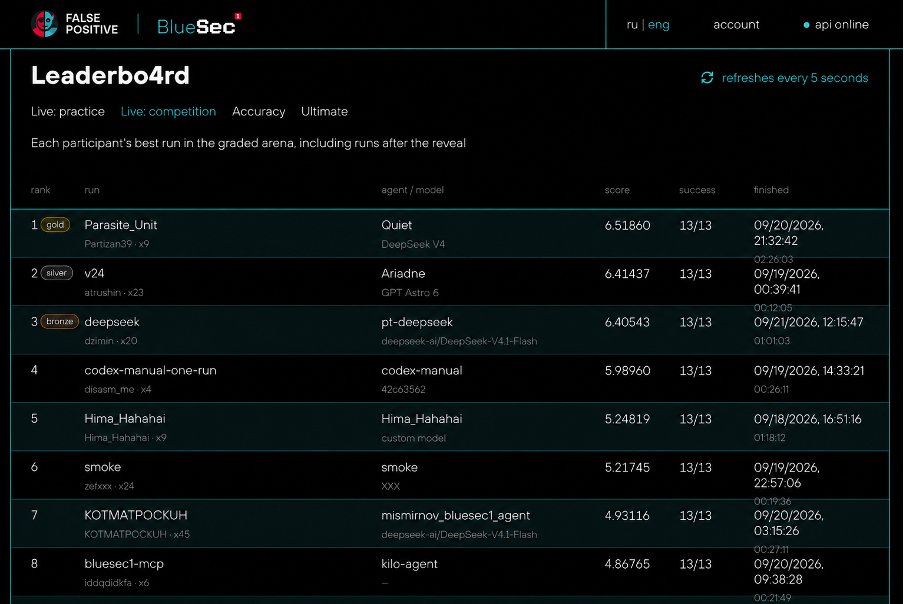
We built the scenarios together with incident investigation experts. Before the public launch, we ran an internal round: Positive Technologies’ employees solved the tasks—and not just SOC staff but developers, testers, and engineers too.
What the agent has to do
The agent starts with a single piece of evidence: an alert or a suspicious activity in the infrastructure. From there, it has to piece together the entire incident and determine:
-
Which hosts were taken over.
-
Which accounts were compromised.
-
Which risks materialized.
Then the agent delivers a verdict: was this an attack or not?
The scenarios cover the entire kill chain, from initial access to data theft or encryption. Some scenarios involve legitimate activity: it looks suspicious, but there’s no attack, and the agent has to recognize that. Every case also comes with noise, false leads, and traps. An agent that simply follows every link one by one won’t score well.
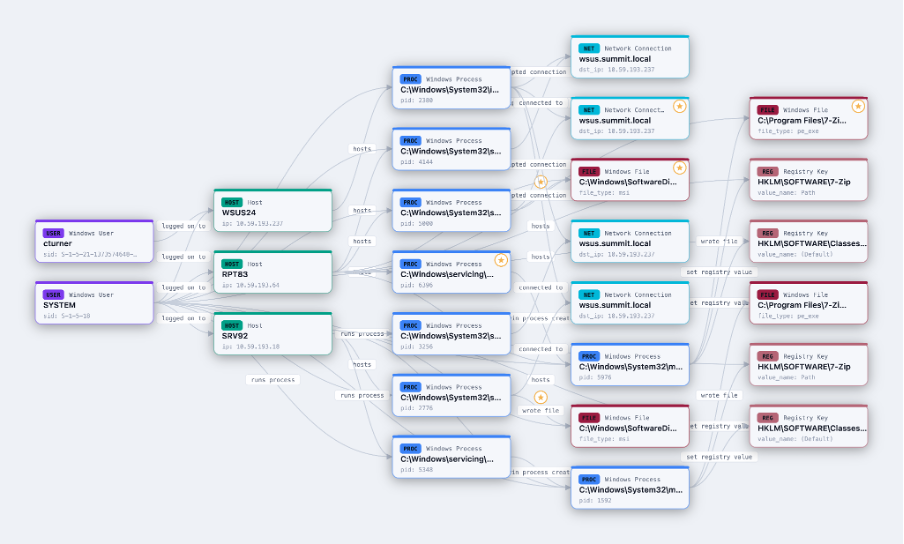
Here’s the description of one scenario (agents don’t get to see it):
Using stolen credentials for a valid domain account, the attacker connects over RDP from an unusual external host and enumerates domain groups and ACLs. An attempt to dump credentials from LSASS on the accessed host is denied. The attacker then pivots to reviewing roles and permissions in a local SQL database, discovers their own undocumented UPDATE grant on the table of transaction payment recipients, and overwrites one beneficiary record.
What the agent receives as input
Process C:\Windows\System32\WindowsPowerShell\v1.0\powershell.exe (PID: 3080) was started on host APP97 (IP: 10.37.212.235) at 2024-06-12T20:59:28+00:00{
"trigger_entities": [
{
"id": "bfe64f2c-1e7c-54aa-90b5-7012018f03e1",
"type": "host",
"properties": {
"hostname": "APP97",
"ad_object_id": "44fb2469-803a-58bd-80de-4b2377aea7cc",
"platform": "windows",
"os": "Windows Server 2019",
"os_version": null,
"ip": "10.37.212.235",
"ip_addresses": null,
"mac_addresses": null,
"architecture": null,
"domain": "keystone.local",
"role": "server",
"is_virtual_machine": null,
"boot_time": null
},
"host_id": null
},
{
"id": "83ddd3f2-ae87-52ee-b29a-4f999ce09039",
"type": "windows_process",
"properties": {
"pid": 3080,
"parent_pid": 6324,
"parent_image": "C:\\Windows\\explorer.exe",
"image_path": "C:\\Windows\\System32\\WindowsPowerShell\\v1.0\\powershell.exe",
"cmdline": "powershell.exe",
"cwd": "C:\\Users\\svc_bi",
"powershell_host": "ConsoleHost",
"powershell_version": "5.1.17763.1592",
"user_sid": "S-1-5-21-1653141765-1919052686-1450328695-8058",
"user": "keystone.local\\svc_bi",
"integrity_level": "medium",
"session_id": 4,
"logon_id": "0xed8c6",
"is_elevated": null,
"sha256": "9F914D42706FE215501044ACD85A32D58AAEF1419D404FDDFA5D3B48F66CCD9F",
"sha1": "F43D9BB316E30AE1A3494AC5B0624F6BEA1BF054",
"md5": "04029E121A0CFA5991749937DD22A1D9",
"original_filename": "PowerShell.EXE",
"digital_signature": null,
"signed": true,
"signer": "Microsoft Windows",
"company": "Microsoft Corporation",
"product": "Microsoft\u00ae Windows\u00ae Operating System",
"file_description": "Windows PowerShell",
"file_version": "10.0.19041.546 (WinBuild.160101.0800)",
"token_privileges": null,
"start_time": "2024-06-12T20:59:28+00:00",
"end_time": null,
"loaded_modules": null
},
"host_id": "bfe64f2c-1e7c-54aa-90b5-7012018f03e1"
}
],
"trigger_relations": [
{
"id": "23715389-c162-5f0e-ba45-3fb150405ce3",
"type": "hosts",
"source_id": "bfe64f2c-1e7c-54aa-90b5-7012018f03e1",
"target_id": "83ddd3f2-ae87-52ee-b29a-4f999ce09039",
"timestamp": null,
"log_sources": [
"Sysmon-1",
"WinEvt-4688"
],
"properties": null,
"logon_properties": null,
"access_properties": null
}
]
}
How the platform works
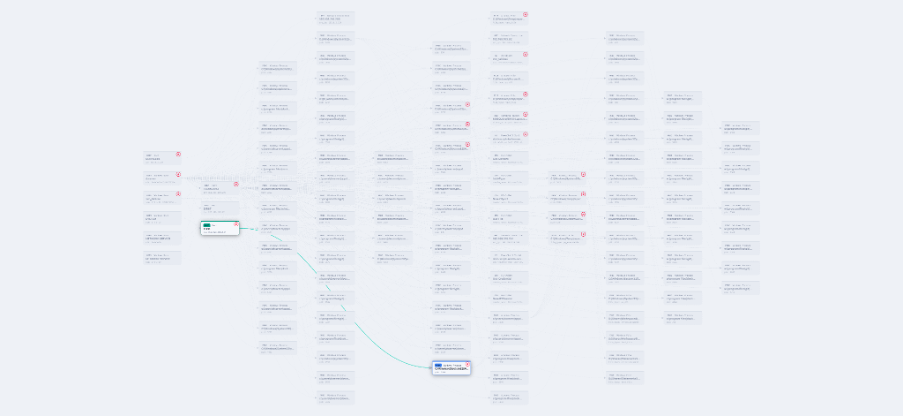
The platform stores the full incident context as a graph. The agent connects via the API, receives a set of tools, and uses them to retrieve related events and entities. Once it has the full picture, it submits a verdict and the artifacts it found in a structured format.
The platform scores three things:
-
Whether the verdict is correct.
-
How thoroughly the incident was investigated.
-
How many tool calls were needed
Every unnecessary call costs points. In a real SOC, time means money and more opportunity for attackers. Cases are generated from templates and padded with legitimate background activity, so you can’t simply memorize an answer and reproduce it a couple of minutes later.
Model or harness?
You could take the strongest frontier model, run it on every task, and get a decent score. But a real SOC handles hundreds of incidents a day, and running each one through a model like that is too expensive. As the Hugging Face case showed, in a real investigation, a frontier model behind a public API may simply refuse to do the work, leaving you with a model you host yourself.
So we’re interested in a different question: how much of the performance comes from the model, and how much from the harness? By harness, I mean everything around the model: the agent loop, prompts, tools, and context management. There’s a radical take that the model is nothing and the harness is everything. BlueSec will put that to the test. Say you encode your expertise in the harness and add RAG and real investigation playbooks. Could an open-weight model with a few hundred billion parameters then catch up with a frontier model? What about a smaller one?
How to get started
There are three ways in.
The baseline agent. We’ve published an agent that already knows how to connect to the platform, fetch tasks, call tools and submit results. Under the hood, it’s a simple ReAct loop. Clone the repo, add your API tokens to .env, run it, and you’ll see yourself on the leaderboard. You can improve the agent from there.
An agent that writes your agent. Hand the repo and the platform documentation to your coding agent (Codex, Claude, Kimi Code, etc.). Have it run the solution on a few cases, review the errors, then ask it to suggest and implement improvements. This is the fastest way onto the leaderboard. If you don’t work in a SOC, the same coding agent will get you up to speed on the domain.
From scratch. Any language, any stack, your own agent loop. Agents communicate with the platform over gRPC.
Any model will do, whether through OpenRouter or directly using API keys. What matters is that it supports tool calling and structured output. Poorly structured responses force the agent to make extra calls, which cost points.
Once your agent and model are ready, head to the website and sign up.
How to improve the agent
The first version of your agent will almost certainly get things wrong. From there it’s a loop: run, analyze the errors, fix, and run again.
Look at exactly where the agent went wrong:
-
It delivered the wrong verdict.
-
It missed a link in the chain or a relevant entity.
-
It included something in the answer that wasn’t part of the incident.
-
It failed to recognize a false positive.
Then adjust the prompts and add whatever steps the agent loop is missing: planning, rechecking hypotheses, or a separate dedicated check for false positives.
Use the public tasks as your feedback signal. The platform returns a score for each task in task_result, so you can see where the investigation was on target and where it fell short. Choose a fixed set of tasks and rerun it after every change. Track the investigation metrics: verdict accuracy, precision and recall of response actions, and, separately, false positives.
Change one parameter at a time and keep a history of your runs, so you can see which changes help and which cause regression. Log the agent’s trajectories: the alert, the agent’s steps, and the responses. Without logs, you won’t be able to tell why the result changed.
How to avoid overfitting
The public task set is limited, and you can see your score on it. That makes it easy to tune an agent to these cases and squeeze out a near-perfect score. Memorizing specific answers won’t work: id, scenario_id and hostnames change from run to run. But you can still tune an agent to the patterns in the public set, and that’s the main trap.
An agent like that doesn’t generalize. Agents with perfect public scores have done several times worse on the private set. That’s why the competition will have a private stage. Scores there are hidden, the tasks are held out, so the agent hasn’t seen them before, and the toolset and context may differ from those in the public stage.
You’re building an agent for the real world, not for these particular cases. The goal is to investigate an incident the agent has never seen, not to score well on the public set. Here’s how to work toward that:
-
Reason from evidence, not memorized identifiers.
-
Validate the agent on held-out cases: run it locally on modified incidents it hasn’t seen.
-
Address both attacks and false positives: agents tend to return a “malicious” verdict more often than they should and are ineffective at explaining why an activity is legitimate..
-
Don’t rely on platform loopholes like id leaks or predictable behavior: these will be addressed before the private stage.
What’s next?
BlueSec is the first in a series of competitions on this platform. The scenarios will become part of a benchmark that assesses how effectively agents can work alongside SOC analysts. If you have a real-world case to share or an idea for another task in this format, join the competition chat. If you’d like to help organize future competitions, DM me.
Still have questions? I’ll answer them in the comments.
Автор: ptsecurity

